Showing posts with label Blended Learning. Show all posts

Monday, February 22, 2016

Drop the Textbooks and Blend Language Learning

The 2016 is going to be a very exciting year form the Language Department of the Kenai Peninsula School District (KPBSD). Indeed we are going to see a drastic change in how students learn all the World Language classrooms since all World Languages teachers will have to implement a blended format. KPBSD has indeed recently completed the curriculum review for the World Languages courses offered within the district, and the committee has opted with an unanimous and strong decision in favor of adopting a digital curricula for ALL the language courses offered in the district. This decision is aligned with the vision of the district administration to move toward digital content for the classrooms.

The revision process has been rigorous, evaluating traditional and web-based curricula side by side following a rubric based on the standards defined by the American Council of Teachers of Foreign Languages (ACTFL), the national leader organization in the teaching of world languages.
This was the first time I was participating in the curriculum review process and the experience has been very interesting and instructive. Being an online teacher, the only online foreign language teacher in the district, I was pleased in having the opportunity to bring to the table my different prospective, and collaborate with other WL teachers in finding the best fit for our students.

The adoption of an online based curriculum requires some structural changes in the traditional classrooms and how the learning is going to happen, and some of them were welcomed by some teachers. First of all WL classrooms will receive a class set of Chrome-books for allow students to access to the online content. Second the teachers will have to implement a Blended Learning format for their classroom. This specific step does require a specific, timed, well planned and delivered professional development (PD) for the classroom teachers, who will need to learn what Blended Learning is, what are the various ways in which it can be implemented, and finally being able to identify the format that would better fit their teaching style, their classroom needs, and what they want to achieve.

It is definitely an ambitious goal that will require time for being perfected, and I am expecting trials and errors along the way, which is normal in a learning process. Last year I had the opportunity to experiment a similar learning progress when I had to start a traditional classroom French program in one of the KPBSD high schools. Coming from a 100% online teaching experience, I found a natural fit in the use of the Flipped Classroom approach from my classroom courses. One of the most interesting observations in the roll-out of this plan was looking at the switch in the student behavior  from the beginning of the year when they were very passive and they needed to "hold their hand", to the point in which for the most part they knew what to do and were able to proceed independently in their learning in and outside of the classroom.

The transformation of a traditional classroom to a blended format requires a very well made plan and also a lot patience and determination from the teacher, especially at the beginning, when the students  used to be mostly passive learners in their classrooms, will find themselves pushed in uncomfortable  new learning territories, in which they are required to become actively participants in their education.

I have an invested interest in following the process of implementation of the Blended Learning in my WL department, since I would like to collect data for a research paper focused on this case study. My goal is to monitor the effectiveness (positive or negative) of this switch in the increase language acquisition in the students enrolled in these blended courses.

More will come....

Monday, November 16, 2015

Work in Progress

Now that we are into the second half of the first semester of this school year, I am in the process of reviewing my e-courses on Canvas and evaluating those sections that had a rough initial start of of some elements of this new (to me) LMS.

There are 3 goals for major change of my courses I want tackle before the beginning of the Spring
https://www.flickr.com/photos/dullhunk/2101058680
semester:
  1.  First contact email sent to students at the time of their enrollment with the first directions for the access to the course and link to the introduction of the course video. Although it is not  specific component of the course, this email is very critical since I can send it to students and their parents/guardians, allowing all of them to have a first taste and feel for the course. Parents/guardians are not yet able to access to my Canvas courses with an observer account - this might change next year - so this first video will allow parents/guardians to have an understanding of what the course is about right away.
    I think that this piece of information will allow parents more understanding of the learning environment of their kids and will empower them in asking the right question to the students whenever they want to know more about their progress.
    I am also considering the option of creating a video specific for parents/guardian for guiding them through the course and show them how and where they can monitor the progress, activity and score of their kids in the course, as well as seeing my feedback to their work. This idea is becoming more relevant due to a feature present in Canvas: the "what if..." option in the grade book. Students indeed can use this feature for changing their grades (not on the actual grade-book) and see what they would need to score in a particular assignment for changing their final grade. Great feature, right? Well, recently I was told of a parent who was completely blown way when she realized that he son was lying to her and showing her the "what if" grades instead of the actual scores of his work. The discrepancy between the reports shown by he student and the concerned emails from a teacher moved the parent to call our office for figuring out what was going on. It was just then, when the parent was able to access to the course and go to the grade-book that realized that something was very wrong and that what she was seeing at that moment was far different from what she was shown regularly by her child.
    Now, this episode is pretty iconic of how great tools can be used in the wrong way and you never know what to expect!
  2. Redesign the first section of the course for being more user friendly and making sure that all the important information are provided to students. This process will include the remake of the navigation video and the use of Google Docs as repository of content shared by multiple courses, such as the students tools.
    This goal is very important to me especially considering the major failure to launch I had with the Fall semester. I have made a list of all the possible things that could go wrong - not that I can be 100% positive that nothing else will pop-up, but at least I can beat the odds! I have been researching various Canvas sites for gaining more ideas of functional and well designed courses to use as models.
    Something that I would like to keep on target is the accessibility of the site especially to hearing and vision impaired students. This is certainly a great challenge because often it conflict with my creativity drive. Finding the right balance between functionality, accessibility, and aesthetic is definitely challenging, but it is something I want and need to address since I would like to have my courses being accessible to all our students. Last year for the first time I have seen the tool used by a blind student for navigating the Internet, and that experience was a wake-up call for the code barriers we create in our e-courses when we start paying with fonts, colors, and all the very cool visual effects.
    I am planning to have one of our district vision specialist to test my courses for accessibility, and I would like to have a few students testing my spring courses for user-friendliness during the Christmas break.
  3. Review my assessment program. This will benefit my students and also myself in the way that at this time I have a graded task with need or re-grading almost every day, which times 120 students makes my life a nightmare! I am sure that there must be a better way to assess my students. I really want to look into how to streamline my assessment program for making it more relevant to students and less grading-intensive.

Saturday, October 31, 2015

Frist Steps with a LMS

The most effective way to start using an LMS is to get some good PD for it.  Dha!
Ok, I get it, this doesn't always happen. Often we have to figure out how to fly while building the plane and this is what teachers are very familiar with. So what do you do beside screaming, crying, and wish the world was fairer to you? Here there are a few suggestions for keeping your mental and emotional sanity while get the handle of your new LMS.
  1. Before starting look around the Web for some good examples of courses created using the LSM of you choice. You can gather ideas and strategies for planning your own e-learning course. I have found some good examples searching Google for "Canvas course".
  2. Make a list of the MUST HAVE elements that should have in your course and start writing the text that you will add to the LMS using World documents. Having this content ready will save you a lot of time when you will start building your course.
  3. LMSs have a website with resources, forums, and troubleshooting guides that can help you in figuring out how to get started with the LSM you are using.these are the links to Moodle and Canvas resources sites.

  4. Fortunately out there there are a lot of people working on LMS and some of them are eager to share their knowledge making very helpful and instructive videos. Search YouTube or Vimeo and you will certainly find  something that will help you getting started and troubleshooting some of the adversities you might encounter on your way.   Here there is an example of video found on YouTube with the directions for getting started with Canvas.

  5. In Alaska most if not all school districts are using one LMS. Connect with other educators and asks for help with the particular feature you are working at. A good way for reaching out for educators in Alaska is through one of the Google+ communities such as ASTE Networks, Alaska Online Teachers, and AKTeach.
    I am sure that each state has similar resources, however thanks to the WWW it does not make any difference where you are, today you can reach anybody around the world as easily as your extra neighbor!


Monday, October 19, 2015

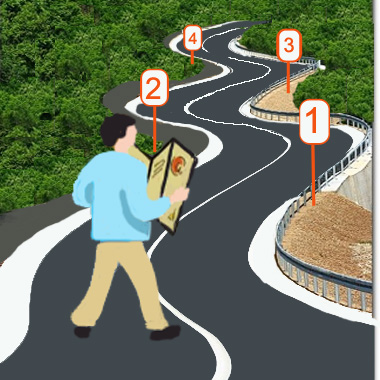
Everyone needs a road-map!


This is even more important when we are talking about online courses. Over the years teaching online I have found how important is to give students right at the very first contact an effective and user friendly tool that takes them exactly where they need to go in the course and that shows them around the course as a good hostess.

Thinking about it seems a pretty logical tah! idea, right? The challenge is making an EFFECTIVE introduction video!
This process takes quite some time, effort and definitely a few failures to launch. After working on Moodle for 5 yeas I thought I had my intro video pretty much nailed down to perfection. I was so proud of it. This year though with the adoption of the new (for me) LMS Canvas I had to remake all my introductory video on a LMS I was not very familiar with, so I am back dealing with my first "failure to launch" Canvas' road-map.

It is amazing how many things I learn in the first 48 hours of the school years, when the floodgate is open and students are pouring into the courses. That's when you find out a lot of the things that can go wrong! This time around though there was a particular step that I totally underestimated and that has proved to be critical in the misguidance of students arriving to the course. I had some great conversations with some of my colleagues at the Distance Learning department, and we are planning to put our hands back on the video and create some guidelines for all our intro to the course videos so that students enrolled in any of our courses would find some sort of consistency in the navigation.


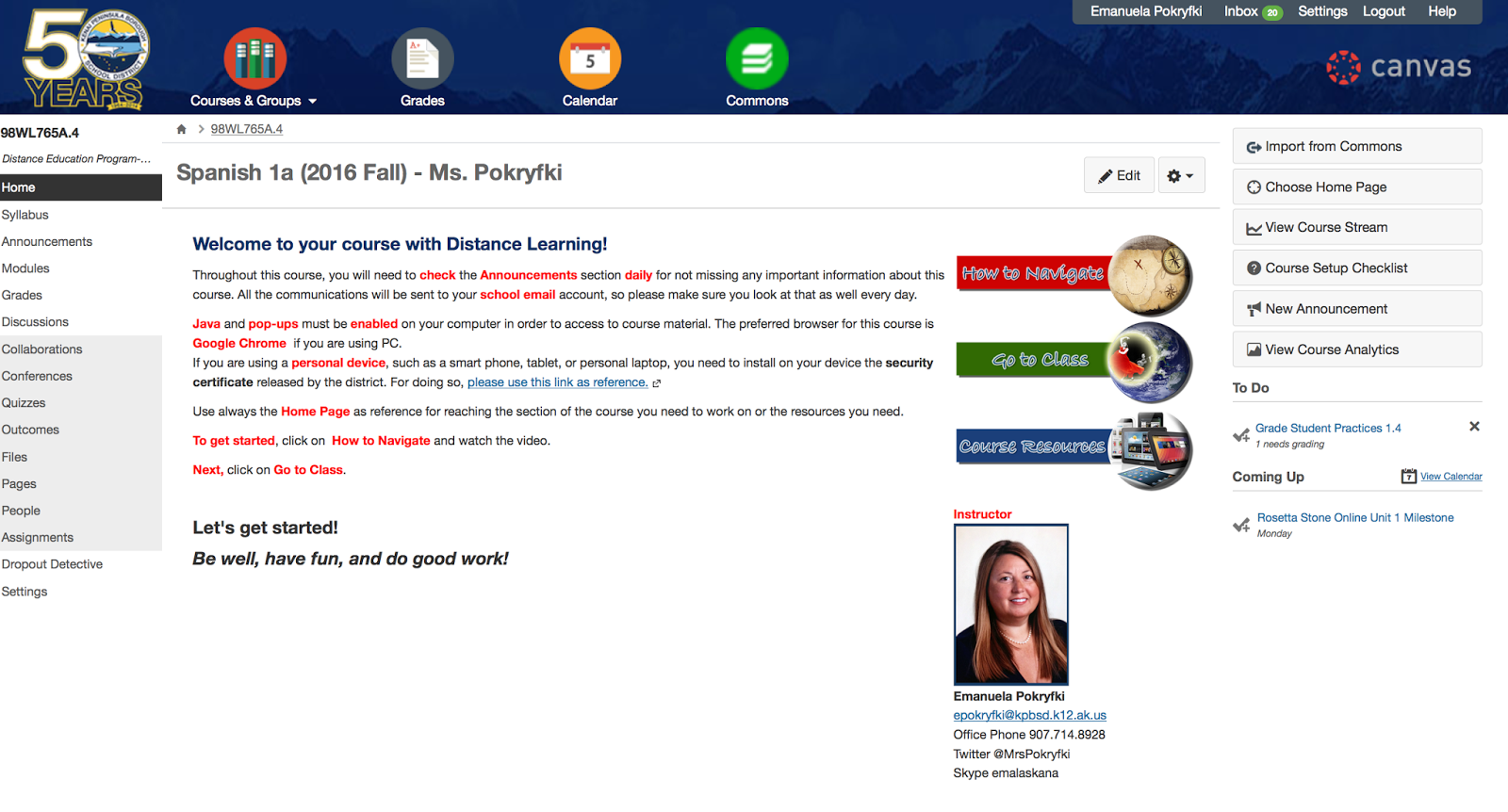
This is my first Canvas intro video and the Home Page shown here actually has been already restyled reducing the size of the 3 buttons, placing them on the right of the welcoming message, and adding my photo and contact info right under the buttons, as you can see in this image on the right.
I am not yet 100% satisfied with the layout of my home page, however this organization did not cause any troubles, while the video did, and this is why I would like to start tacking that first.

I would greatly appreciate any constructive criticism about the video and if you have 2 cents also for the home page, feel free to throw them here as well :)

Next step: listing problem caused by the current video and then start planning the new video!